










Facebook has become an indispensable platform for businesses of all sizes to thrive in the realm of digital marketing and beyond.
To fully leverage its potential, it is crucial to get verify Facebook Business Manager account. Verification not only enhances credibility but also grants access to a range of advanced features that can significantly enhance your marketing efforts.
Before delving into the verification process, it is important to grasp the significance of verifying your Facebook Business Manager account.
This process involves confirming the authenticity of your business with Facebook, essentially earning a virtual badge of trust that assures your audience of your legitimacy.
Benefits of Facebook Business Manager Account Verification: Verifying your Facebook Business Manager account offers numerous advantages that contribute to the growth and success of your business.
Let's Explore Some of the Key Benefits
1) Enhanced Customer Trust

By obtaining a verified badge, you establish credibility and instill trust in your audience. This verification reassures potential customers that your business is legitimate, fostering a sense of reliability and encouraging engagement.
2) Access to Advanced Features

A verified account unlocks a range of powerful features within Facebook Business Manager. These include Instagram shopping, which allows you to showcase and sell products directly on Instagram. Additionally, you gain access to instant articles, enabling faster loading times for your content, and app ads that help promote your mobile applications effectively.
3) Increased Ad Spend Limits
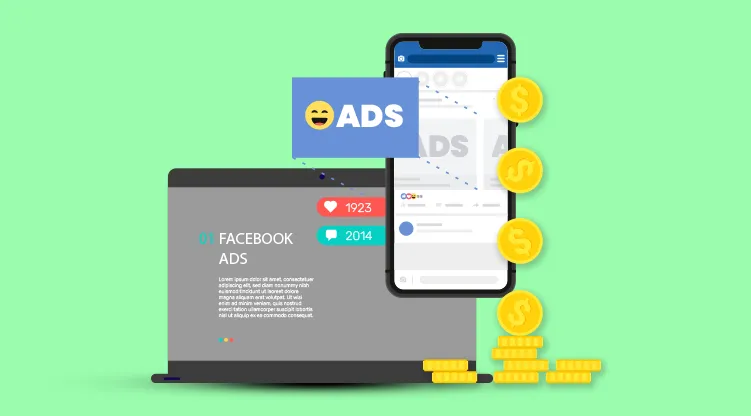
Verification often results in higher ad spend limits, expanding your marketing opportunities. With increased spending capabilities, you can reach a larger audience, run more extensive ad campaigns, and explore various advertising strategies to drive growth.
4) Streamlined Account Management
Facebook Business Manager offers a centralized platform for managing all aspects of your business's presence on the platform. Verification enhances this management experience by providing additional tools and resources that streamline your operations, such as ad account creation, campaign management, and team collaboration features.
5) Priority Support

Verified accounts often receive prioritized customer support from Facebook. This means that if you encounter any issues or require assistance, you can expect more prompt and personalized support, ensuring a smoother experience on the platform.
Step-by-Step Guide to Verifying Your Facebook Business Manager Account
To Verify Facebook Business Manager account, you need to consider an important step to establish credibility and unlock advanced features. In this guide, we will walk you through the verification process, ensuring you have all the necessary information to successfully verify your account.
Let us learn the process of verifying your Facebook Business Manager account, ensuring you can make the most out of this powerful platform.
Maximize the power of real-time communication
Discover Exclusive Offers on WhatsApp

Step 1: Access Business Settings
Begin by logging into your Facebook Business Manager account. Once logged in, navigate to the "Business Settings" tab, which can be found in the top-right corner of the page.
Step 2: Initiate the Verification Process
Within the "Business Settings" section, locate the "Security Center" tab. Under this tab, you will find an option for "Business Verification." Click on "Start Verification" to commence the process.
Step 3: Provide Accurate Business Details
To proceed with the verification, you will be prompted to provide essential business information, including your legal business name, address, and phone number. Double-check that these details are accurate, as Facebook will cross-verify the information provided.
Step 4: Verify Your Phone Number
Facebook will send a verification code to the phone number registered with your business. Retrieve the code and enter it in the designated field to verify your phone number.
Step 5: Submit Business Documents
Prepare the necessary documents that validate the existence of your business, such as a business license or tax file. Follow the prompts to upload these documents securely. Ensure that the documents are clear and legible for a smooth verification process.
Step 6: Await Verification Completion
After submitting the required documents, the verification process begins. Facebook will review the information and documentation provided. The duration of this process can vary, ranging from a few days to a couple of weeks. Be patient and allow Facebook sufficient time to complete the verification.
Troubleshooting Verification Issues
If you're having trouble to verify Facebook Business Manager account, don't worry. Verify the accuracy of your company's information and the legitimacy and legibility of all of your documents. If you're still having problems, you can contact Facebook Support for assistance.
Use Your Verified Account
Once your account has been verified, make use of the advanced features that are offered.
There are countless opportunities, from creating effective marketing campaigns to doing direct sales on Instagram.
Verifying your Facebook Business Manager account is crucial for establishing credibility and accessing advanced features.
By following the step-by-step guide outlined above, you can navigate the verification process with ease.
Remember to provide accurate business details, verify your phone number, and submit the necessary documents.
Once your account is successfully verified, you can enjoy the benefits of an enhanced presence on Facebook and leverage the platform's powerful marketing features.
With this step-by-step tutorial, you are prepared to handle the challenging task of navigating Facebook Business Manager account verification.
Verification boosts your company's credibility and gives you access to a wealth of features that can improve your marketing plan.
Though social media marketing is still in its infancy, keep that in mind. Exceptional opportunities for more direct and individualized customer interaction are presented by platforms like WhatsApp. To elevate your customer interactions, Wati integrates with your Facebook marketing strategy.
To gain access to a wealth of brand-new marketing opportunities, confirm your Facebook Business Manager account right away.
Remember that the goal is to meet your customers where they are and provide value that turns them into devoted brand advocates whether you use Facebook or WhatsApp.
Drive Results with Efficient Campaign Management

.avif)



.webp)


